
Wisenet Device Manager not working
If the Wisenet Device Manager is not working and can’t find the device in the network I have a quick fix for the problem, just keep reading…This software is designed to work in the local network to find Wisenet IP cameras, DVR, NVRs, and encoders manufactured by Hanwha Techwin and Samsung Techwin (Hanwha predecessor).If the […]

Arlo error code 4208 (Quick fix)
The Arlo error code 4208 is very annoying and drives people crazy.I know because I’ve been there and I could find a quick fix for the problem.Yeah, of course, I will share the solution for this error, just keep reading…The quick solution for the Arlo error code 4208If you see the message “Firmware could not […]

Wisenet Device Manager Setup
Let’s talk about the Wisenet Device Manager software.It’s the tool used by technicians and installers to find and configure Wisenet (and old Samsung Ipolis) cameras in the network.This software is simple to use, let’s dive into some details…Wisenet Device Manager featuresThis software is very useful to find devices manufactured by Hanwha Techwin and Samsung Techwin […]

Who makes Wisenet cameras
I’ve seen people asking the question “who makes Wisenet cameras” and I’m proud to answer this question because I’ve worked for the manufacturer.Hanwha Techwin makes Wisenet cameras as part of its security product line. The company is formerly known as Samsung Techwin.Despite the fact that some old security cameras come with the Samsung logo, the […]

How to reset Wisenet Cameras
In this article, I show how to reset Wisenet cameras.There are different lines of products under the brand Wisenet.Hanwha Techwin (former Samsung Techwin) manufactures professional and consumer security cameras for different segments of the market.Anyway, the way the camera reset is done is similar in different products.Here, I talk about the professional product line (high-end […]
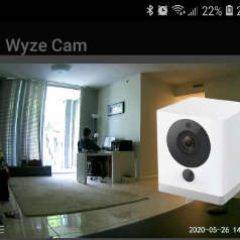
Add Wyze Cam to the Tiny Cam App
You can add the Wyze Cam to the Tiny Cam app to see the live video directly on your mobile phone. The process is very easy.This app is very useful because it works with different camera brands.Let’s dive into the setup…Download and install the Tiny Cam App.There’s a free and a paid version of the […]

Wyze Cam on Blue Iris (quick setup)
If you want to have the Wyze Cam on Blue Iris, this article can help you.The Wyze Camera is usually used with its own app but sometimes people want to use it with a professional surveillance software such as Blue Iris.Here you will find more information about this topic, just keep reading…How to add Wyze […]
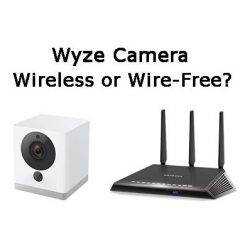
Are Wyze Cameras Wireless? (or Wire-Free?)
I’ve seen the question “Are Wyze Cameras wireless?” rise on some forums and I decided to give people a quick answer and explanation about this topic.The quick answer is, yes the Wyze Cameras are wireless and they don’t need cables to transmit the data, but still need a power cable.So, the Wyze Cam is not 100% free […]
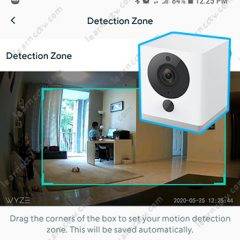
Wyze cam motion detection not working
If you have a problem with the Wyze cam motion detection not working, here you can find a quick solution to make it work correctly.I had this problem and could fix it, so I can help you to fix yours.Let’s take a look at how to deal with the problem…Why the motion detection is not […]

Zosi DVR keeps rebooting
If your Zosi DVR keeps rebooting itself every day, you need to check some basic things that I describe in this article. This is a common question among users because a DVR or NVR can have a lot of different issues and reboot with no apparent reason is one of them.Let’s see how to solve this […]