Claudemir Martins
How to set up a Hikvision WiFi camera via smartphone (Quick Steps)
This article explains how to add a Hikvision WiFi camera via smartphone.The process is straightforward and takes less than 5 minutes. Click Here to Check The Hikvision camera on Amazon How it worksYou can set up a Hikvision WiFi camera via a laptop/PC or via smartphone.The setup via smartphone is simple; you just need to […]

How to add an IP camera to a Zosi NVR (via IPC Channel)
This article explains how to add an IP camera to a Zosi NVR.The picture below shows 4 IP cameras connected to the NVR.The process is straightforward; you can use the IPC Channel menu to do that.You can have your IP cameras up and running in less than 5 minutes.Connect the cables to the NVRTo have your IP […]

How to install Dahua plugin in a web browser
In this article, I show you how to install the Dahua plugin in a web browser.IP cameras use the dynamic features of a web browser. For that reason, it’s necessary to install a plugin to open the live camera feed and video analytics.The same is true with DVR and NVRs from different manufacturers.Let’s take a […]

Does a CCTV system work without a hard disk?
Does a CCTV system work without a hard disk drive (HDD)?This article answers this question and explains the reasons for using HDDs.Here’s a quick answer; Yes, a CCTV system works without a hard disk drive if you use alternative ways to record the footage, such as micro SD cards or cloud storage servers located on […]

Amcrest default password and IP address
In this article, you can find the Amcrest default password and learn how to change the default IP address in the first login. The process takes less than 5 minutes.The Amcrest camera comes with a default passwordIf you are trying to access your Amcrest camera for the first time and have no idea how to […]

Hikvision Wi-Fi camera setup (easy steps)
Do you want to learn how to set up a Hikvision Wi-Fi camera?Yeah, you’ve come to the right place; here, I will teach you how to get your camera working in no time. Just make sure to read to the end of the article! Hikvision is a well-known security camera manufacturer with hundreds of different camera […]
Hik-connect does not show all the cameras (solved)
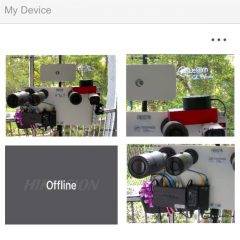
This article shows how to fix the problem with the Hik-connect not showing all the cameras available on the platform. The solution is simple; keep reading.The picture below shows the Hik-connect app missing one camera.You may notice the problem while using the Hik-connect app.The problem with missing camerasEven if the cameras are correctly displayed in the local […]

3xLogic Default Password
Are you looking for the 3xLogic Default Password?Well, if you lost the password and can’t log in anymore, there’s a chance to get access to the camera by trying to use the default credentials listed below.3xLogic Default PasswordUsername: admin and Password: adminUsername: admin and Password: 12345Be aware that the default password only works for old models, and the new ones (or […]
Wyze Cam error code 20 (solved)
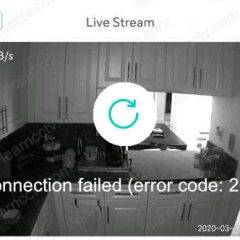
You are using your Wyze app to watch your cameras, and all sudden, you get the message “Connection failed (error code :20)”. Let’s see how to fix this problem.The error randomly shows up in any Wyze Cam.How to fix the Wyze Cam Error code 20You need to check a few things to fix the problem; […]
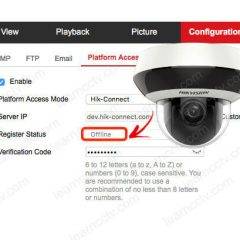
Hikvision Offline (0Xe0000105) error (solved)
Let’s see how to solve the Hikvision error Offline (Xe0000105) problem.The (Xe0000105) error shows up when the P2P platform (Hik-connect) is being used and you can quickly fix it by adjusting your network parameters.You may also see this error as Offline (0Xe0000104) or Offline (0Xe0000108).Let’s take a look at how to solve these connection issues.What causes […]