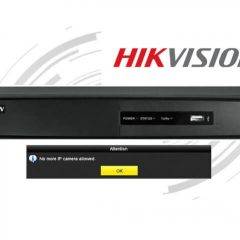
Hikvision – No more IP camera allowed error (solved)
If your Hikvision NVR shows the message “No more IP camera allowed” probably is because the IP cameras are connected to a PoE switch and not directly to the unit. If that’s your case, keep reading to see the solution to the problem.If the NVR mistakenly identifies that more devices are connected to is, a […]
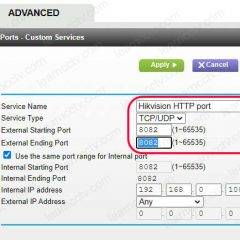
Hikvision port forwarding (step-by-step)
It’s important to understand how the Hikvision port forwarding works so you can have access to the IP cameras, DVR and NVR remotely from the Internet.In this article, I explain how to configure port forwarding for a Hikvision DVR based on the ports it uses. If you want to learn more just keep reading…Depending on […]

How to reset the Amcrest 650 TVL and QCAM DVR
In this article, I show how to reset the Amcrest 650 TVL and QCAM DVR.If you lost the DVR’s password and can’t log in anymore, here’s the solution.To reset the NVR, fill the Amcrest Password Reset Request form and a support agent will help you out over the phone and provide a code that you […]

How to factory reset an Amcrest NVR (quick solution)
In this article, I show how to factory reset an Amcrest NVR to recover from a lost password. The procedure is simple and takes less than 5 minutes.The reset works for the Amcrest NV21xx-HS and NV21xxE-HS series.If you have a different model, please check the links at the end of this article.The steps to reset […]
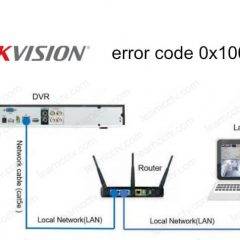
Hik-connect status offline 0x1007 (solved)
If you see the Hik-connect status offline, chances are your devices are having some problem to communicate to the Internet. Let’s see how to fix the problem…Usually, you can see a message with the error code 0x1007 that indicates the network problem and you need to address the problem to get the Hik-connect online.To solve the problem check […]
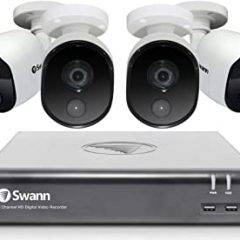
Swann DVR keeps rebooting
If your Swann DVR keeps rebooting without reason, I have the solution for you.Usually a DVR or NVR reboot itself because of HDD or power supply problems.Let’s see how to fix this problem…Why the DVR rebootsIf the hard drive is not homologated it can cause the DVR to act strange and reboot itself, the same is […]

How to stop spider webs on security cameras
I bet you are looking for a solution to stop spider webs on security cameras but you don’t know what attracts them to your camera, right?Perhaps you’ve read something about this topic and you think the IR (infrared) LED are the ones inviting these little critters to come in, but that’s not true 🙂Why spiders […]
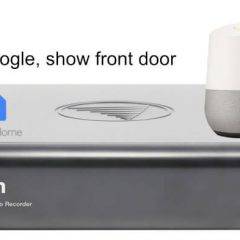
How to connect Swann cameras to Google Home
You can connect your Swann cameras to your Google Assistant in less than 5 minutes. Once this is done, you can use voice command to display the video stream on your TV or other Google device that has a displayLet’s see how it works…The requirementsTo use the Google Assistant with Swann you need to meet these requirements.Have a Swann […]
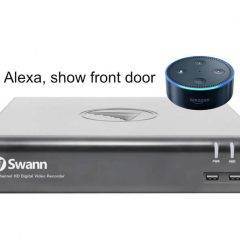
How to connect Swann to Alexa
The question “Does Alexa work with Swann?” is very popular among Swann device users so I decided to write an article about this topic.The quick answer to this question is, yes, Alexa works with Swann devices and you can use voice commands to display the video stream from the cameras to devices such as Echo […]
Swann DVR not sending email alerts (solved)
In this article, I discuss the issues related to the Swann DVR not sending email alerts. most of the time this is related to simple configuration, let’s talk about it…Different problems can prevent your Swann DVR from sending emails, the most common one is related to the Gmail account but it’s also possible that the network or […]