
Lorex – Play error, click to refresh (solved)
The message “Play error, click to refresh” shows up in a Lorex when you are trying to watch live video on the Lorex Home App. Let’s see how to solve this issue.This issue is usually related to a miss-communication between the Lorex Wi-Fi camera and the app on your mobile phone or tablet.How to solve […]

Best Security Camera for Seniors
According to the FBI, the rate of burglaries and other property crimes has decreased nearly every year since the 1990s. Since surveillance systems help to reduce crimes I decided to write about the best security camera for seniors.In almost ten years, the number of property crimes in American dropped by over 20% from 2008 to 2017. […]

Wyze Cam as a baby monitor
You can use a Wyze Cam as a baby monitor to keep watching your cute child as a fraction of the price of regular cameras available in the market.For only $25 you can purchase the Wyze Cam V2 or Wyze Pan from Amazon and install it yourself in the baby’s room, it’s pretty easy.You can read the Wyze Camera review for more details, but as […]

Hikvision communication to server failed (solved)
If you are trying to set up your Hikvision device and the message “Communication to Server Failed” shows up, probably the DNS configuration is not correct on the device and you need to fix it.Every device that connects to a network and communicates to the Internet needs to have some parameters correctly configured and a […]
Do cameras work with cut wires?
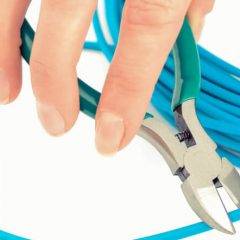
Cameras are our superheroes, but they all have their Kryptonite. Let’s go over whether or not cameras work with cut wires.This type of action happens all the time, so be careful.What wire cutting accomplishesThe cutting of the wires can disable a CCTV camera, but that is not true for all cameras!Truth is that the cutting of […]

What to look for in a camera set
Cameras come in all shapes, colors, and sizes. But sometimes it can be tricky to know what to buy! Let’s dive at some things to have on your checklist when you look for a camera set.Type of cameraBefore even writing the checklist, you must know what cameras are available and their functions.There are many kinds […]

How to enable DHCP on Hikvision DVR
Every device that connects to a network needs to have an IP address and surveillance devices are not different, so in this article, I show how to enable DHCP on Hikvision DVRs to get an IP address automatically.Don’t forget that it is important to have your local router ready to work with the DHCP service, […]
How to use the Wyze cam playback
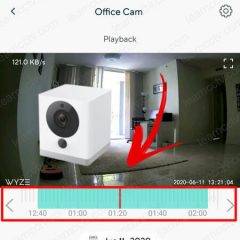
After recording the video into the micro SD card you want to check what’s there, right? So in this article, I explain how to use the Wyze cam playback.It doesn’t matter if the Wyze camera is recording using motion detection or continuous recording, as long as your camera is using a micro SD card to store the video […]
How to set up the Wyze Cam to record continuously
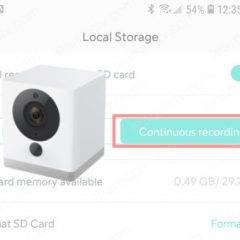
If you have an especial situation that event recording is not the best option, you can learn how to set up the Wyze Cam to record continuously.The setup is very simple and allows you to have the footage recorded 24/7 on a micro SD card which you can remove and playback on your computer.Let’s see how to […]
How to set up the Wyze cam time lapse
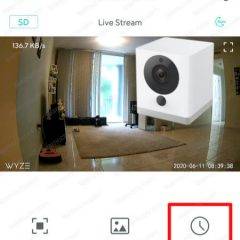
Let’s learn how to set up the Wyze Cam time lapse.This feature is very interesting because it allows you to have a sequence of pictures taken over several days and shown as one video.Time lapse set upTo enable the time lapse on the Wyze cam is necessary to insert a microSD card into the camera […]