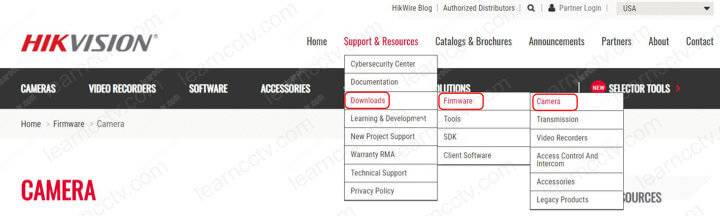
How to set up a Hikvision WiFi camera via smartphone (Quick Steps)
This article explains how to add a Hikvision WiFi camera via smartphone.The process is straightforward and takes less than 5 minutes. Click Here to Check The Hikvision camera on Amazon How it worksYou can set up a Hikvision WiFi camera via a laptop/PC or via smartphone.The setup via smartphone is simple; you just need to […]

Hikvision Wi-Fi camera setup (easy steps)
Do you want to learn how to set up a Hikvision Wi-Fi camera?Yeah, you’ve come to the right place; here, I will teach you how to get your camera working in no time. Just make sure to read to the end of the article! Hikvision is a well-known security camera manufacturer with hundreds of different camera […]
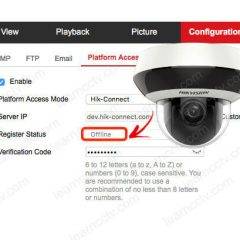
Hikvision Offline (0Xe0000105) error (solved)
Let’s see how to solve the Hikvision error Offline (Xe0000105) problem.The (Xe0000105) error shows up when the P2P platform (Hik-connect) is being used and you can quickly fix it by adjusting your network parameters.You may also see this error as Offline (0Xe0000104) or Offline (0Xe0000108).Let’s take a look at how to solve these connection issues.What causes […]

Hikvision Playback Failed (Solved)
This article explains how to fix the error “Playback Failed” or “No Record File” on Hikvision devices. A message “No Match Record Files” usually also shows up.The issue is related to the HDD or micro SD card recording.How to fix the Hikvision Playback Failed errorHere are the steps to fix the Hikvision Playback Failed errorLog […]

Hikvision unsupported stream type (solved)
This article shows you how to solve the Hikvision unsupported stream type issue when adding an IP camera to an NVR (Network Video Recorder).Most of the time, the problem is related to the type of CODEC being used.There’s a video by the end of this article with more details on how to solve this issue.If […]
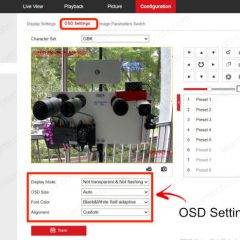
How to move the Hikvision OSD Date and Time and camera name
If you don’t like the Hikvision OSD date and time position, you can move it.Hikvision IP camera OSD (On Screen Display)You can also change the camera name position.The OSD (On Screen Display) information is flexible, and you can place it wherever you want and have it recorded the footage. Let’s see how to do that.How to move […]

How to play Hikvision mp4 files
In this article, I explain how to play Hikvision mp4 files.Sometimes, a traditional video player (such as Windows media player) doesn’t work, so it’s necessary to use software compatible with the Hikvision files.The picture below shows the Windows player error message.Windows media player error message – The file is not playableAs you can see, the error […]
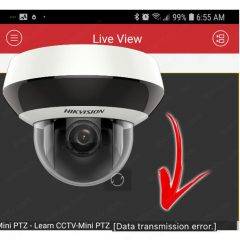
Hikvision Data Transmission Error (Solved)
In this article, I explain how to fix the Hikvision Data Transmission Error.You probably experienced this error if you are using a Hikvision app, such as the Hik-connect or iVMS-4500, to view your camera and recorders remotely.Let’s take a look at more details…What causes the Data Transmission ErrorThe “Data Transmission Error” is related to a […]

Hikvision default password and IP address
A long time ago, the Hikvision cameras used to have a default password, but the new cameras don’t use it anymore, and now it is necessary to create a new password during the first setup process. (the username is still admin). So, it’s very simples. The Hikvision default password is 12345 for cameras with old firmware, and there’s no default […]

How to Recover a Hikvision camera using TFTP (reflash the firmware)
In this article, I show how to recover a Hikvision camera using the TFTP method.If you can’t access the camera anymore because it’s not responding, you need to use this procedure to recover it from a corrupted firmware. This procedure is also known as “reflash the firmware” because it erases the memory and installs a new […]