Amanda Martins

ADT Alarm – What Happens When the Power Goes Out
Various ADT users wonder about the system’s abilities when there’s no power. This article will cover and explain what happens to the ADT alarm when the power goes out. ADT is a known brand that can add a security layer to your home and acts as a great deterrent to robberies or even fire. But […]
Arlo Error Code 4206 (Solved)
Arlo is a known company brand that makes cameras easy and user-friendly. With that said, it is not perfect; thus, let’s discuss Arlo Error Code 4206. This error code shows up on cameras that need to be updated through the app. Once you select “Yes” to the update, the screen will load for a minute […]

Wyze Lock Keeps Jamming
A little extra security never hurt anyone, which makes the Wyze Smart Lock a must-have for homeowners. Yet, if your Wyze Lock keeps jamming, read this article for a quick fix. This new addition to the Wyze brand provides your home with an extra layer of safety for an affordable price while still keeping the […]

Arlo Camera is Stuck On Firmware Update (Solved)
Firmware updates are a must-have, but not when it keeps your camera from working. In this article, learn fixes for when your Arlo Camera is stuck on firmware update. When an Arlo camera gets stuck, it can keep the camera from functioning correctly, thus leaving your house vulnerable. Your security camera system should be one […]

How to set up a Hikvision IP Camera to save images to an SD card
In this article, you will learn to set up a Hikvision IP camera to save images on a MicroSD card. You can even set them up at regular intervals! The information below is set for users who have the MicroSD formatted. If you have not done it yet, go into Storage Management and format it. […]
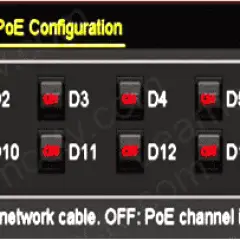
Hikvision Enhanced PoE feature [For long distance]
Specific Hikvision NVR models offer an attribute called “enhanced PoE” that can be extremely beneficial to users. In this article, let’s learn how to use Hikvision’s Enhanced PoE Feature. In some situations, installing the feature in the cameras that have been installed further than the recommended (100 meters) from the recorder can help the connection. […]
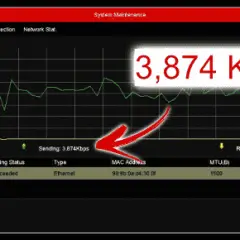
Hikvision NVR – How to check bandwidth usage (Easy Method)
This article will discuss how to check bandwidth usage in Hikvision NVR. Thus, you will learn to check for real-time bandwidth usage, bandwidth idle, and the type of bandwidth used by the camera in your local network and Hikvision NVR. By understanding the recorder’s bandwidth usage, you can alter the camera settings so as not […]

Hikvision NVR, DVR and camera via IPv6
In this post, let’s talk about how you can access a Hikvision recorder, DVR or camera via IPv6. The IPv6, or Internet Protocol version 6, is the most recent version of IP (Internet Protocol) but the first widely developed version. Developed by the IETF (Internet Engineering Task Force), the IPv6 was made to aid anticipated […]

Hik-Connect – How to update the App on Android phone
Unfortunately, the Hik-Connect App is no longer available on the Google Play Store; thus, Android users cannot update their App directly. Learn how to update the Hik-Connect App. When a new update is released, the Hik-Connect App will not be installed and updated automatically. Therefore, to update the App to its latest version on an […]
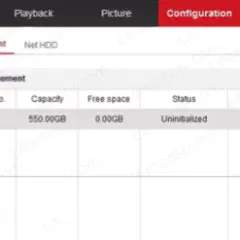
Hikvision camera – How to save images to a Shared Network Folder
This article will cover how to configure Hikvision IP camera to save images to Shared Network Folder. Note that this guide will teach you the steps assuming that you are aware of how to set up the shared network folder. To save images from a Hikvision camera to a shared network folder, you just need […]