Claudemir Martins

How to reset an Amcrest camera
Are you looking for information on how to reset the Amcrest camera password?In this article, I explain how to reset an Amcrest IP camera to factory default.This process is very useful in the case you lost the camera’s password. You can reset the camera and have it working again in less than 5 minutes.Let’s take a […]
How to reset Reolink NVR password
In this article, I show how to reset a Reolink NVR password.The process is very simple and takes less than 5 minutes.If you lost the password for your recorder and can no longer log in to the device, there are different methods you can use to reset the password to factory default.How to reset a […]

DVR User Locked (How to solve)
You are here because you got the “User Locked”message when trying to log in to your DVR, right? If that’s the case, please read this article to find the solution.Sometimes you can also get a slightly different message, such as the “The account has been locked,” as shown in the picture below.This problem is very […]

Samsung RTSP URL
You can use the Samsung RTSP URL to stream video in real-time.If you want a third-party VMS or application to communicate with your Samsung IP camera, DVR, NVR, or encoder, here I have the solution for you.The good news is that I worked as a Samsung engineer for 8 years, so I know how to […]

Maximum Hard Drive Size Supported by Hikvision NVRs and DVRs
Are you looking for a list of the Hikvision Maximum Supported HDD sizes? Here you can find the official list that shows the device series, Firmware version, maximum hdd size and the reference model for the Hikvision DVRs and NVRs.Keep in mind that the list describe only the HDD size limitation and not the hard drive […]

How to change the camera name on Hikvision NVR or DVR
In this article, I show how to change the camera name on a Hikvision NVR or DVR.The process is straightforward and takes less than 5 minutes.Let’s see how it’s done…How to rename the cameras via a Web browserWhen you log in to the NVR via a web browser, it’s possible to see the screen’s left […]

Hikvision NVR automatically display cameras (Enable Auto Display Live View)
In this article, I explain how to enable the auto display live view on a Hikvision NVR so you can have the cameras automatically displayed after the login.The picture below shows an example of the cameras displayed at the same time.As you can see, the four cameras are shown as soon as I log in.How […]
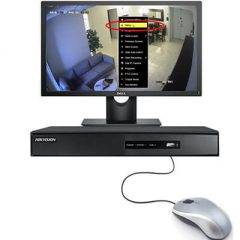
Mouse Not Working on DVR or NVR [Solved]
I bet you are here because you plugged a mouse into your DVR or NVR, and it’s not working, right? Don’t worry, I had the same problem, and I found the solution.The main reason your mouse is not working on the DVR or NVR is related to incompatibility problems or the use of new technology […]

What is a substream in a Hikvision camera?
In this article, I answer the question, “What is a substream in a Hikvision camera?”This is a very common question among security camera installers and DIYers.It’s essential to understand the difference between the different streams available in the camera or recorder so that you can optimize the use of resources.The Mainstream and Sub-streamOK, you are […]

Hikvision camera: How to configure video tampering
In this article, I explain how to configure video tampering on a Hikvision camera.This feature is handy to protect your cameras from vandals or people with obscure intentions, such as breaking into someone’s house.Let’s see how to enable and use the tampering feature.What is video tampering?Video tampering is a feature that allows you to detect […]