
Maximum Hard Drive Size Supported by Hikvision NVRs and DVRs
Are you looking for a list of the Hikvision Maximum Supported HDD sizes? Here you can find the official list that shows the device series, Firmware version, maximum hdd size and the reference model for the Hikvision DVRs and NVRs.Keep in mind that the list describe only the HDD size limitation and not the hard drive […]

How to change the camera name on Hikvision NVR or DVR
In this article, I show how to change the camera name on a Hikvision NVR or DVR.The process is straightforward and takes less than 5 minutes.Let’s see how it’s done…How to rename the cameras via a Web browserWhen you log in to the NVR via a web browser, it’s possible to see the screen’s left […]

Hikvision NVR automatically display cameras (Enable Auto Display Live View)
In this article, I explain how to enable the auto display live view on a Hikvision NVR so you can have the cameras automatically displayed after the login.The picture below shows an example of the cameras displayed at the same time.As you can see, the four cameras are shown as soon as I log in.How […]
Mouse Not Working on DVR or NVR [Solved]
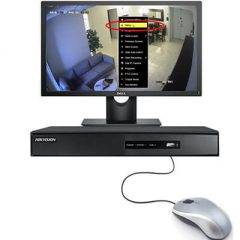
I bet you are here because you plugged a mouse into your DVR or NVR, and it’s not working, right? Don’t worry, I had the same problem, and I found the solution.The main reason your mouse is not working on the DVR or NVR is related to incompatibility problems or the use of new technology […]

What is a substream in a Hikvision camera?
In this article, I answer the question, “What is a substream in a Hikvision camera?”This is a very common question among security camera installers and DIYers.It’s essential to understand the difference between the different streams available in the camera or recorder so that you can optimize the use of resources.The Mainstream and Sub-streamOK, you are […]

Hikvision camera: How to configure video tampering
In this article, I explain how to configure video tampering on a Hikvision camera.This feature is handy to protect your cameras from vandals or people with obscure intentions, such as breaking into someone’s house.Let’s see how to enable and use the tampering feature.What is video tampering?Video tampering is a feature that allows you to detect […]

Hikvision cloud recording to One Drive
Want to know how to record Hikvision IP camera to One Drive?In this article, I show the step-by-step to accomplish this task.It’s possible to upload the footage from your DVR, NVR, or IP camera to the cloud and keep it safe there for as long as you want; it all depends on how much space […]

Enable ONVIF protocol on AXIS Cameras
In this article, we will go over how to enable Onvif on Axis Cameras.ONVIF is an open standard protocol that was created for the purposes of video surveillance, remote monitoring, and access control systems.This can make it much easier for integrators to connect multiple devices from different manufacturers together in one system.How to enable ONVIF […]

How to connect a Hikvision camera to the Internet
Want to connect your Hikvision camera to the Internet?Well, there are different ways to do that, so let’s talk about this topic.You can access your Hikvision IP camera via a web browser, software, smartphone, or even via the cloud. It’s just a question of having the right configuration.I think the last option (use a cloud […]

What is channel zero on a Hikvision Recorder (DVR and NVR)?
Have you used the channel zero available in a Hikvision DVR or NVR?The channel zero feature allows the recorder to combine all its channels into a single video stream, thus reducing the bandwidth requirement for a remote transmission over a congested network or the Internet.This feature is also available in other brands such as Dahua, Samsung, etc.The channel-zero in […]