
How To Set Up Hikvision Cloud Recording On Dropbox
Saving your footage can be more accessible than ever. This article will teach you how to set up Hikvision cloud recording on Dropbox. Apart from the footage, you can also upload snapshot pictures from your Hikvision DVR/ IP camera. Plus, this means you can have both your locally stored footage from your recorder and one […]

Hikvision “No Enough Network Bandwidth” Error
Once in a while, when trying to add an IP camera to Hikvision NVR via ONVIF, a Hikvision “No Enough Network Bandwidth” Error Message can appear. This issue can be seen in Hikvision brand recorders and OEM brands like Luma, LTS, Annke, Ezviz, Cantek, among other brands. The error messages reveal that the NVR is unable to […]

Hikvision OEM List [All Companies]
It is no surprise that Hikvision is the world’s largest CCTV security system manufacturer. Making it well known and even popular in the US. Thus, I have compiled a Hikvision OEM list below. Hikvision is a Chinese government-owned brand that has banned its devices from being used by American Government facilities but can still be […]

How to Turn on WDR on Hikvision Camera
A Wide Dynamic Range (WDR) is a solvent for the BackLight situation in which dark shadows and high brightness are present in the same image. Learn how to turn on WDR on Hikvision Camera in this post. Cameras equipped with WDR have state-of-the-art sensors that can produce a wide range of light, allowing the camera […]
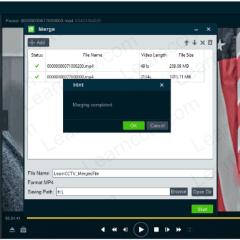
How To Merge Hikvision Recording Files
When exporting various recording files from a Hikvision recorder (NVR/DVR), your files will be short and all separated. Learn how to merge Hikvision recording files in this article. The reason behind all the separated recordings could be due to factors, including the type of recording schedule set up for your recorder. For instance, having motion […]

Hikvision “Network Abnormal” Issue [ Solved ]
The Hikvision “Network Abnormal” message can show up as you try to access your Hikvision recorder (NVR/DVR) or a camera through the web browser or the iVMS-4500 app. Learn how to fix it in this post. There are multiple reasons why this message shows up. Read on to find tips that will aid you in […]
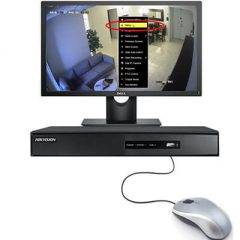
How To Disable The Hikvision Startup Wizard
When you start up your Hikvision NVR/DVR, a startup wizard will come up. Need to disable the Hikvision startup wizard? Read on! Hikvision includes this function in their recorders, which can be extremely useful the first time the program is run as it will advise users, explain the initial setup and the basics, and take […]

Hikvision Remote Control Not Working [ Quick Fix ]
Remote controls are everywhere now, from TVs to ceiling fans. But you can also use them to access your security system. This article will cover what to do if your Hikvision remote control is not working. You might be wondering why you should even use remote controls for your Hikvision devices. Though a mouse might […]
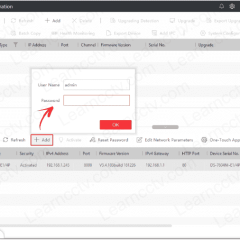
Download Hikvision Batch Configuration Tool
Do you need to download the Hikvision Batch Configuration Tool? You came to the right place. The tool is used to adjust the parameters of one or multiple devices, such as networks, users, and exceptions. This software also provides additional functions, like editing passwords, bath upgrading, wiper control, and restoring default settings. The Batch Configuration […]
Download Hikvision VSPlayer
VSPlayer is a downloadable media player that supports video files. Even encoded ones by Hikvision products such as IP cameras and recorders like NVRs and DVRs. Download Hikvision VSPlayer from this post. The VSPlayer can provide users with various playback options and parameters to adjust modes. It also offers multiple-display output and can play any […]