Claudemir Martins
Do cameras work with cut wires?
Cameras are our superheroes, but they all have their Kryptonite. Let’s go over whether or not cameras work with cut wires.This type of action happens all the time, so be careful.What wire cutting accomplishesThe cutting of the wires can disable a CCTV camera, but that is not true for all cameras!Truth is that the cutting of […]

What to look for in a camera set
Cameras come in all shapes, colors, and sizes. But sometimes it can be tricky to know what to buy! Let’s dive at some things to have on your checklist when you look for a camera set.Type of cameraBefore even writing the checklist, you must know what cameras are available and their functions.There are many kinds […]

How to enable DHCP on Hikvision DVR
Every device that connects to a network needs to have an IP address and surveillance devices are not different, so in this article, I show how to enable DHCP on Hikvision DVRs to get an IP address automatically.Don’t forget that it is important to have your local router ready to work with the DHCP service, […]
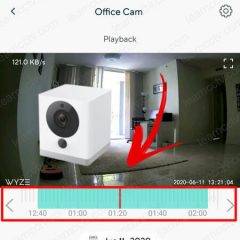
How to use the Wyze cam playback
After recording the video into the micro SD card you want to check what’s there, right? So in this article, I explain how to use the Wyze cam playback.It doesn’t matter if the Wyze camera is recording using motion detection or continuous recording, as long as your camera is using a micro SD card to store the video […]
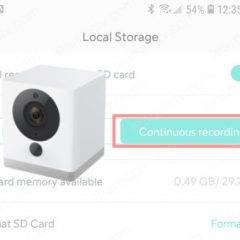
How to set up the Wyze Cam to record continuously
If you have an especial situation that event recording is not the best option, you can learn how to set up the Wyze Cam to record continuously.The setup is very simple and allows you to have the footage recorded 24/7 on a micro SD card which you can remove and playback on your computer.Let’s see how to […]
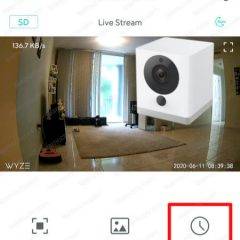
How to set up the Wyze cam time lapse
Let’s learn how to set up the Wyze Cam time lapse.This feature is very interesting because it allows you to have a sequence of pictures taken over several days and shown as one video.Time lapse set upTo enable the time lapse on the Wyze cam is necessary to insert a microSD card into the camera […]

How to use Wyze cam behind a window
If you are looking for information on how to use Wyze Cam behind a window, don’t look any further. In this article, I explain how to do that.The first thing you should know is that at first, this is not a normal application for the Wyze camera, so we can just try to find some […]

Wyze Cam error code 20011 (solved)
The Wyze Cam error 20011 occurs when there’s a timeout in the session established between the Wyze mobile app and the camera.You can see the error when the messages “Connection has timed out (error code 20011) Please try again” pops up in the app.This problem was reported to the Wyze Labs team a long time ago and it seems […]
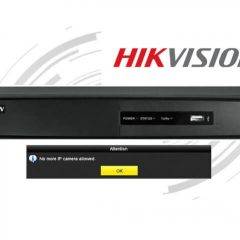
Hikvision – No more IP camera allowed error (solved)
If your Hikvision NVR shows the message “No more IP camera allowed” probably is because the IP cameras are connected to a PoE switch and not directly to the unit. If that’s your case, keep reading to see the solution to the problem.If the NVR mistakenly identifies that more devices are connected to is, a […]
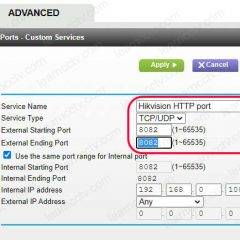
Hikvision port forwarding (step-by-step)
It’s important to understand how the Hikvision port forwarding works so you can have access to the IP cameras, DVR and NVR remotely from the Internet.In this article, I explain how to configure port forwarding for a Hikvision DVR based on the ports it uses. If you want to learn more just keep reading…Depending on […]