This article is a Reolink Argus PT Review.
I got this camera some weeks ago and I've been testing it a lot.
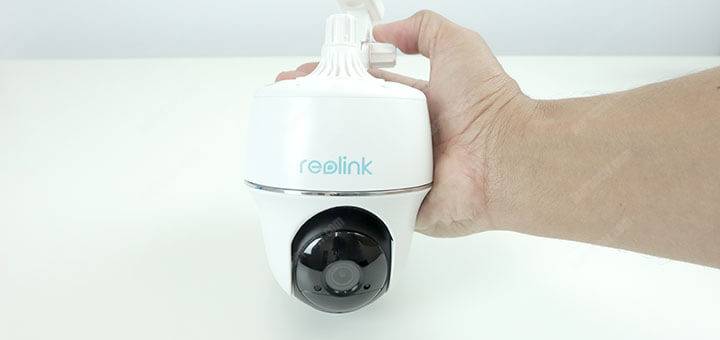
Perhaps you may be wondering "Why so many weeks to review this camera?"
And the answer to this question is very simple... I'm impressed with this product and I want to work on a detailed article that explains everything about it.
Reolink Argus PT Overview
The Reolink Argus PT is a wireless battery powered security camera that is 100% wire-free, weatherproof and can execute Pan and Tilt movement, which means it can be remotely controlled for horizontal and vertical movement.
The camera has Full HD resolution, night vision, bi-directional audio communication, comes with a rechargeable battery and can also be powered by a solar panel. And yes, it works with Alexa and Google Assistant.


Reolink Argus PT first impression
I've been working as en engineer testing high-end and expensive security camera systems for more than 16 years and I must confess that I used to believe that consumer security cameras are not good enough!
But things are different now, especially after testing this Reolink camera.
Spoiler alert, if you are in a hurry to buy the Reolink Argus PT but want to make sure it's a good product, all I can say is GO FOR IT... Click here to check it out.
Of course, I recommend you read this entire article to understand everything about this camera but rest assured you are buying an excellent product.
If you are in a hurry
I got the direct link to the Reolink Argus PT sales page and depending on when you are reading this article you can enjoy the big sale discount.
Click the button below to visit the page:
Just keep reading if you want to learn more about the camera...
What is on the box
The Argus PT comes with everything necessary for the installation.
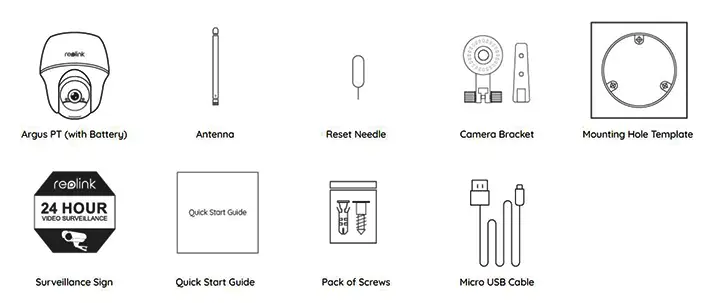
There's a rechargeable battery inside the camera (not removable), a small antenna to improve the Wi-Fi signal, a reset needle you can you just in case you lose the password, a bracket, screws, installation templates, quick guide, and USB cable.
The Reolink Argus PT Camera
Yes, she is the star of this kit. It's a small camera with a beautiful design.
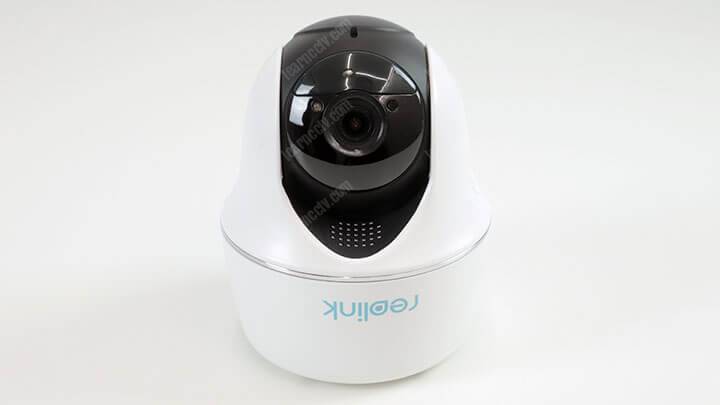
The camera is small and easy to handle. In the front part, there's a lens that can move from left to right and up and down. There's also a status LED, a speaker, and the Reolink logo.
The camera back part
In the back part of the camera, there's an ON/OFF button, an antenna, and a micro USB connector. There's a rubber cover that must be opened.
The camera is classified as weatherproof, so that's the reason for such protection.

Everything is easy to connect and there's no way to get it wrong.
It's intuitive, you can just grab the antenna and attach it to the camera.
The same goes for the micro USB cable that is used to charge the battery.
The Reolink Argus PT Accessories
A USB to Micro USB cable comes with the camera so you can charge the battery by just plugging on your regular mobile phone charger.
At first, I thought the battery charger was missing, but then I realized that it doesn't come with the camera, but that's OK because I could use the charger from my Android mobile phone. The picture below shows the cable and the antenna.

Nowadays most people have a mobile phone charger, but perhaps in the future, Reolink could include a small charger in the package (it's just a suggestion).
The Reolink ArgusPT kit also brings the accessories for installation.
As you can see in the next picture, there are some anchors, screws and even a reset needle which is very useful for troubleshooting.

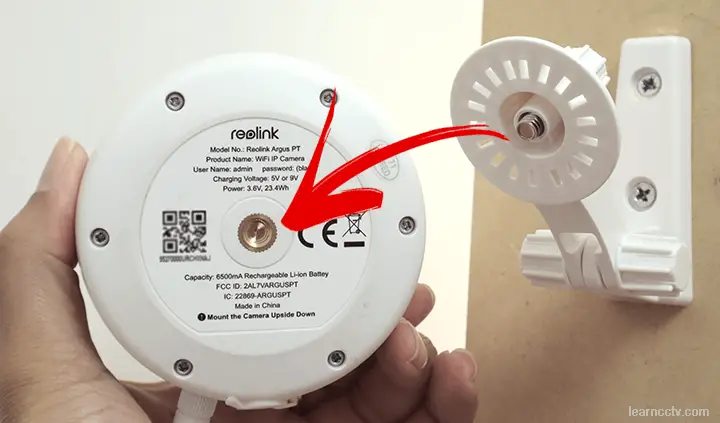
And finally, there's the camera bracket that allows you to install it on places such as a wall, pole or any surface area that can have screws attached to it.
I think the bracket is a little bit flimsy and the camera wobbles if you install it on areas with some winds, but overall it works fine and it uses a universal mount screw so you can replace the bracket if you think it's necessary.

The installation is very easy and any person with minimum skills and tools such as a drill and a screwdriver can install the bracket and the camera.
It's not necessary to use tools to tighten the screw into the camera, you can use your just your hands. The picture below shows the bracket and the camera.
The Reolink Argus PT features
This camera brings a lot of interesting features and to be honest I 'm having some fun during the product test and review.
Let's take a look at some features reported by the camera manufacturer, evaluate if they are good and what they are useful for. Here we go...
Camera resolution
The Reolink Argus PT can capture images with full resolution, which means you can set up the camera to record videos with 1920 x 1080 pixels.
This is a standard resolution used by the market and I could see that the camera does a good job recording on such resolution. See the picture below.
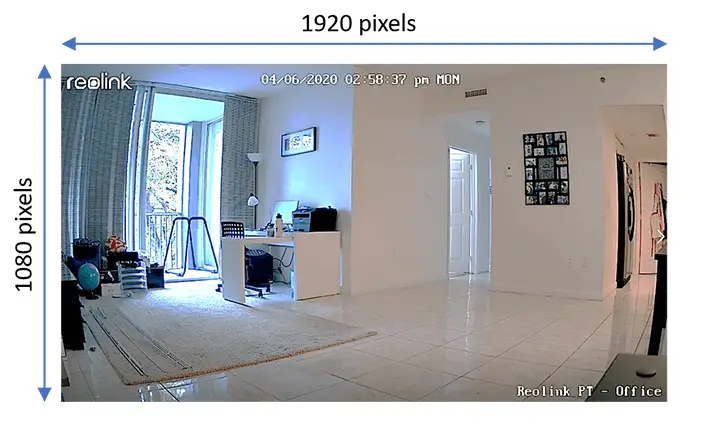
This is the video exported from the camera while I was testing it indoors.
There are a Reolink watermark and other information on the screen that can be customized, you just need to move their position or turn them on/off.
Wireless / Wire-Free
Alright, let's make sure you understand the difference between wireless and wire-Free because this is a really important distinction.
The Reolink Argus PT is a wireless camera which means it can connect to the network using Wi-Fi so there's no need for UTP (network) cables.
And the camera is also wire-free because it uses a rechargeable battery and doesn't need a power cable, so you have a camera that doesn't use cable at all.
Weatherproof
Ok, I'm working on this camera review and again I want to make sure all the concepts are well explained. So let's understand what weatherproof means.
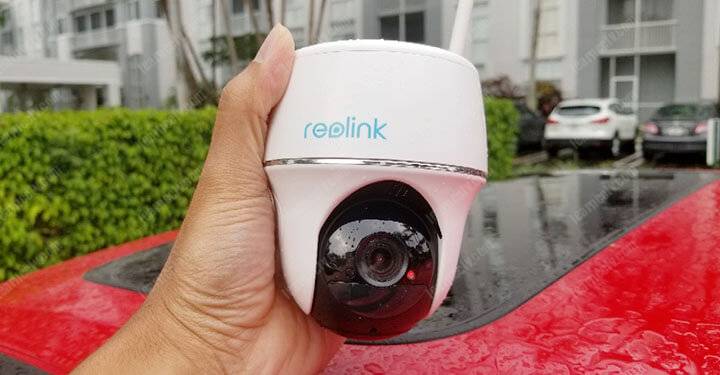
Yes, when I saw it was raining I went outdoors to test the camera just because I couldn't miss that opportunity. Some engineers are crazy like that 🙂
Later you will see other articles about the weatherproof testing, but anyway, after some time under the rain, I noticed the camera didn't get damaged!
Please don't get confused when reading camera specs.
Some manufacturers inform their cameras are waterproof but it's not clear if you can install your camera in a place that gets direct and heavy rain, right?
I've seen that before with popular consumer cameras brands that use the term waterproof but it's not weatherproof classified.
The Reolink Argus PT is different from such consumer cameras because it complies with the international standard for ingress protection.
The camera specs show the camera is IP65 rated, which means it's protected against water and dust. The protection is enough for outdoor installation.
For reference, see the picture below:
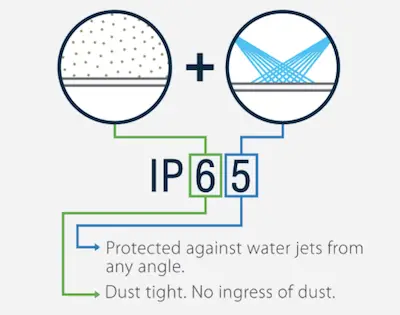
Source: https://www.flexfireleds.com/
So, at the end of the day, the Reolink Argus PT has the same Ingress Protection rating of the high-end security cameras I used to test on my Samsung lab.
Pan & Tilt
For quick reference, Pan is the horizontal movement and Tilt is the vertical movement done by the camera to let you see what is around.
From the camera app, you can control the camera and move the lens from left to right and also from the bottom to the top position.
This camera doesn't work with endless Pan which means it can't do a 360º rotation and it moves all the way to the left and returns all the all to the right.
Be aware of this limitation when planning to buy and use this camera. The PAN works up to 355º and the Tilt works up to 140º.
Night Vision
When it gets dark the camera needs to find a way to compensate for the lack of light and Reolink Argus PT just turns the IR LED on to illuminate its surroundings.
The image below shows the camera at night time, as you can see the quality is very good and I can see who triggered the motion detection (can see my cat?) 🙂
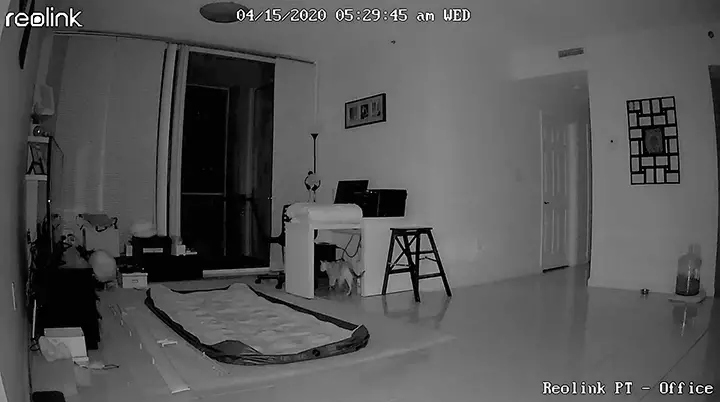
The furthest part of this scenario is the door in the corridor which is 24 feet (7.3m) away from the camera and it's perfectly visible.
The night vision is an automatic feature. the camera uses a light sensor to evaluate when the light is not enough and changes to the