A common question among security system users is, "How to choose the best hard drive for DVRs and NVRs" and now you can have an answer for that question...
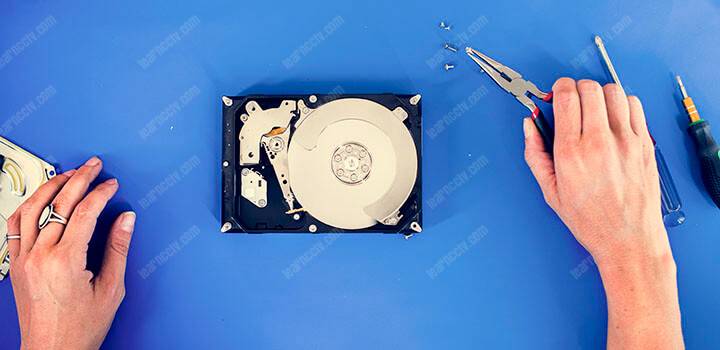
They also have queries about the difference between a surveillance hard drive (HDD) and a desktop hard drive and are curious about the possible issues regarding setting up their camera to save footage to a USB-connected Hard drive.
In this article, you will learn what are the factors to consider when choosing a hard drive for your Digital Video Recorder (DVR) or Network Video Recorder (NVR).
I've been working with professional security systems for more than 15 years and I can guarantee that using the correct surveillance hard drive is super important.
Therefore, allow me to share my knowledge and insights and thus help customers choose the HDD that will handle the surveillance footage without problems.
What is a surveillance hard drive?
Surveillance-rated hard disk drive or security camera hard drive is used for 24/7 local storage of surveillance video footage. They are not regular hard drives.
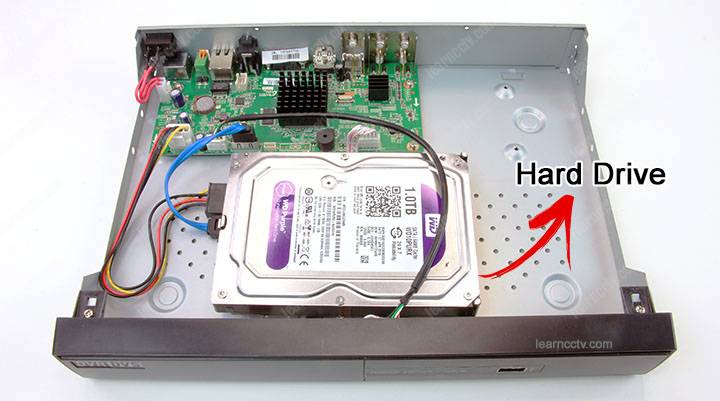
Most security camera hard drives may be pre-installed inside a network video recorder (NVR) or a digital video recorder (DVR). That's the common practice.
Sometimes other external hard drives may be installed to an NVR or DVR.
Either way, it's important to choose the correct hard drive that can handle the amount of data coming from the surveillance cameras to the disk and I must say, it's a lot of information pulled 24/7 to the hard drive with practically no intervals.
It's important to learn how to choose the best hard drive for DVRs and NVRs.
What is the difference between a normal hard drive and surveillance hard drive?
OK, I'm glad you ask that question because it's pretty important to understand that a normal hard drive used in your computer or laptop is not good for your DVR.
People are often misled by the assumption that surveillance hard drive is not much different from a regular desktop hard drive.
A hard drive for DVR or NVR is specially designed by the manufacturers.
In reality, an HDD or dedicated surveillance hard disk drive is more durable, advanced, and reliable than a desktop hard drive in a lot of ways.
A surveillance hard drive spends more than 95% of its time writing.
The hard drive firmware (software embedded in the chip) is designed to handle surveillance applications since its optimized for fast data writing.
Hard drive manufacturers have especial products for the surveillance market and obviously, they cost more than the traditional hard drives for a regular PC.
This type o hard drive is very popular and recommended by technicians and engineers (including myself) who work with professional surveillance systems.
So, now you will learn what factor are important in a hard drive for DVR/NVR.
Choosing a Hard Drive for DVRs and NVRs
Here are some tips you can follow before buying an HDD for your recorders,
I prefer using the Western Digital Purple because I've tested them for years with professional recorders ( I used to work for Samsung as a surveillance engineer).
But there are other brands out there, so make sure you choose a good one...
Look for the correct manufacturer
The first thing to consider is the brand and exact model designed for surveillance.
It doesn't matter if the hard drive is manufactured by big names such as Samsung or Toshiba, if you buy an HDD for PC, it will not work properly for your DVR.
Sure, at first it can start working, but later you will have a huge problem!
Here a list of surveillance HDD manufacturers:
Use manufacturer homologated hard drive
You can follow the DVR/NVR manufacturer's recommendation or use the model that comes with your device. Since the recorders are usually tested with specifics HDD models, they are homologated to work 24/7.
Professional security cameras/recorders manufacturers have a list of hard drives they've tested with their devices, so you just need to check recommended models.
Stay away from the cheap HDDs
Be careful with non-branded cheap DVRs and NVRs that come with regular hard drives pre-installed from the vendor.
Yes, some resellers import the recorders from China and install any HDD that is cheap and profitable for their business, so is up to you to check on that.
Surveillance Hard Drive Recommendation
Western Digital - Purple Surveillance Hard Drive
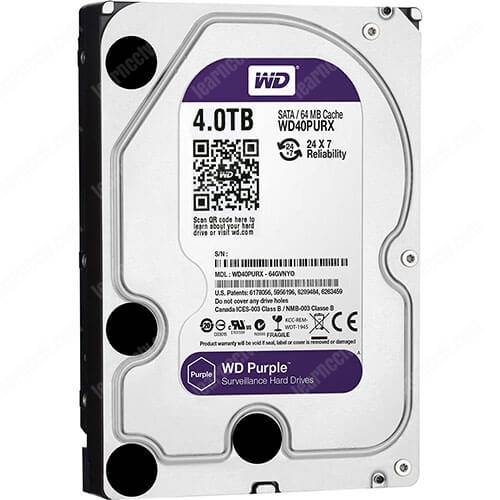
WD Purple Surveillance Hard Drives are engineered for 24/7 reliable operation in HD security systems.
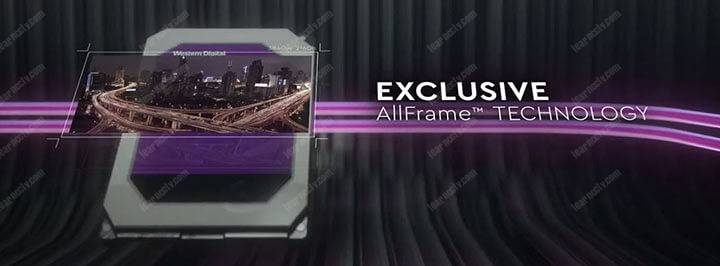
Featured with the AllFrame technology that minimizes errors in saving video