Are you looking for information about the Videoloft IP camera cloud service?
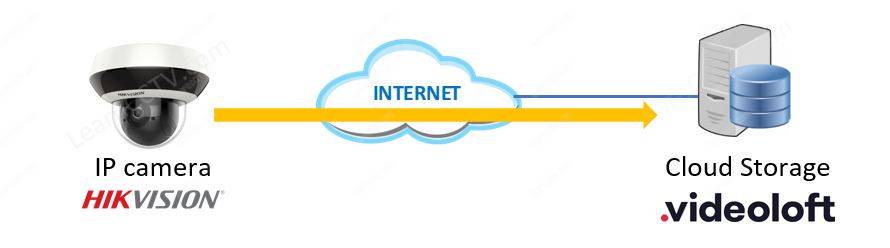
Don't look any further; in this article, I explain how this security camera cloud storage service works, and I also show how to set up the Videoloft cloud adapter.
You can also use the link https://videoloft.com/learncctv to create your account on the platform and get a 5% discount...
OK, let's cut to the chase and start talking about the tests I've done...
About Videoloft
Videoloft was created in September 2019 as a professional division of the company Manything which created an app to monitor home back in 2012.
The original Manything app was launched to turn old smartphones and tablets into sophisticated home monitoring cameras. After many years of experience and over 1 million registered users, the company was rebranded as Videoloft.
==> System integrators can create an account in the Videoloft platform, use their own logo and brand to offer the cloud storage service for their customers. That's an interesting way to have a recurring revenue.
My IP cameras working in the Videoloft App
The picture below shows my Hikvision Mini PTZ camera and a Amcrest Smart Camera (which I didn't think would work) live in the Videoloft App.
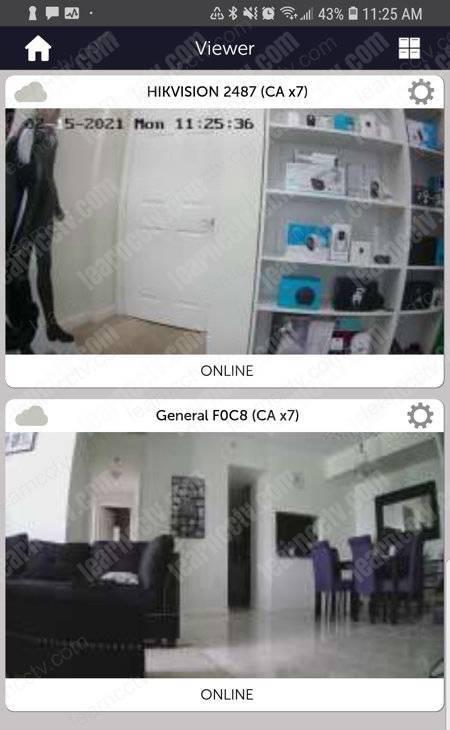
It took me less than 5 minutes to make everything work.
With the Videoloft adapter, the installation was super easy, I intended to test the Hikvision camera, but the App also found my Amcrest camera.
As you can see, the platform also works with other brands. Let's talk about that...
Cameras that work with Videoloft
The Videoloft development integrated some Hikvision cameras and recorders to work directly with the platform, but other brands that use the ONVIF protocol can also work with cloud adapter. Here's a list of the main supported brands.
IP Cameras | Recorders (NVRs) |
|---|---|
Amcrest | Hikvision |
Axis | Hino |
Bosch | InVidTech |
Dahua | LTS |
Hikvision | Northern |
Hino | SecurityTronix |
Hview | Syscom |
InVidTech | Uniview |
LTS | Cell |
Northern | Cell |
Onwote | Cell |
Panasonic | Cell |
SecurityTronix | Cell |
Sony | Cell |
Syscom | Cell |
Uniview | Cell |
Vivotek | Cell |
Winic | Cell |
Wisenet | Cell |
==> Since the ONVIF protocol is an international standard adopted by many IP camera manufacturers, other brands can probably also work with Videoloft.
To see an updated list of cameras and recorders visit the Videoloft website.
How to add an Hikvision camera to Videoloft
There are two main methods to add a camera to the Videoloft cloud platform:
- Add a Hikvision compatible camera;
- Use the Videoloft cloud adapter.
During my tests I tried to add my Hivksion Mini 4MP PTZ camera to the Videoloft App, but it didn't work directly and I got a "Unsupported" message.
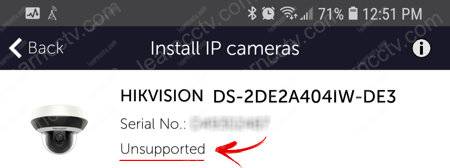
OK, with the Videoloft Cloud Adapter, the setup was pretty easy.
I'm talking about a small box that you can use to easily add IP cameras to the platform, not only Hikvision but also other models mentioned before in this article.
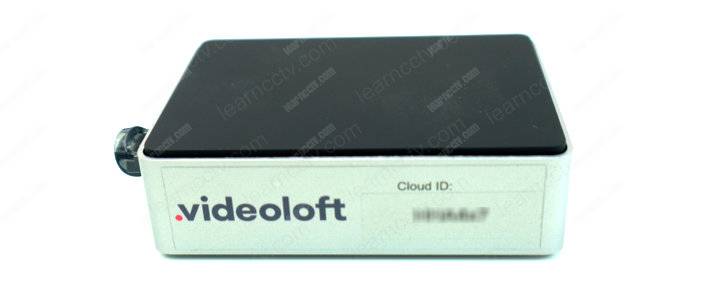
Videoloft Cloud Adapter
This adapter comes with a Unique Cloud ID you can use to add to the Videoloft platform via the mobile App. It's a pretty simple process.
You just need to connect the adapter to the your Internet router and power it up.
The device configure itself and communicates to the Videoloft server on the Internet. The next step is to use a smartphone to look for the IP cameras.
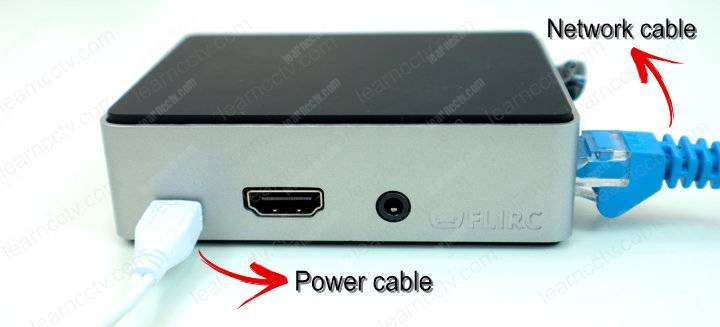
As long as your IP cameras, the Videoloft Cloud Adapter and your smartphone are in the same local network (connect your smartphone the Router's Wi-Fi), the setup is super easy and can be done in a less than 5 minutes.
In 2020, Videoloft added a new feature to allow the remote camera setup.
It's possible to use your smartphone to access the Video Cloud adapter via the Internet so you can set up the camera no matter where you are. Cool huh? 🙂
The picture below shows a diagram of my first conection to the Videoloft platform.
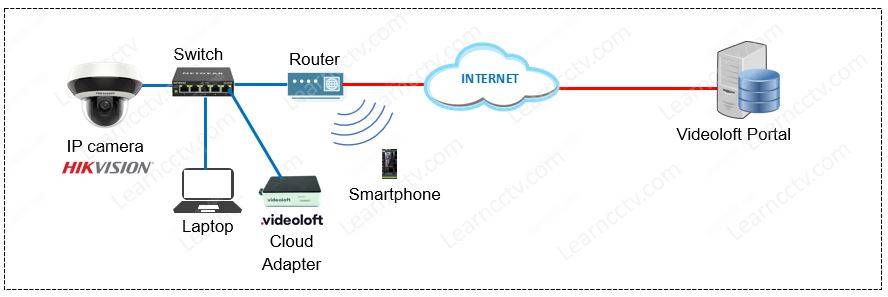
As you can see, I'm using a Hikvision Mini PTZ camera connected to a PoE Switch (which powers the camera via a network cable). The laptop and the Videoloft cloud adapter are also connected to the same switch and to an Internet router.
I could eliminate the switch and use only the router, but there are not enough ports to connect all the devices, and besides that, I don't need to use a power supply to power the camera because the switch has PoE (Power Over Ethernet).
Adding other cameras to Videoloft
I connected extra cameras to the PoE switch to test with the Videoloft platform.
The