This article is about Blue Iris Software review. If you are looking for a piece of software for security camera recording and monitoring, don't look any further because probably this software is the solution you are looking for.
In a nutshell, what is very interesting about this software is the professional features that are available at such a price tag.
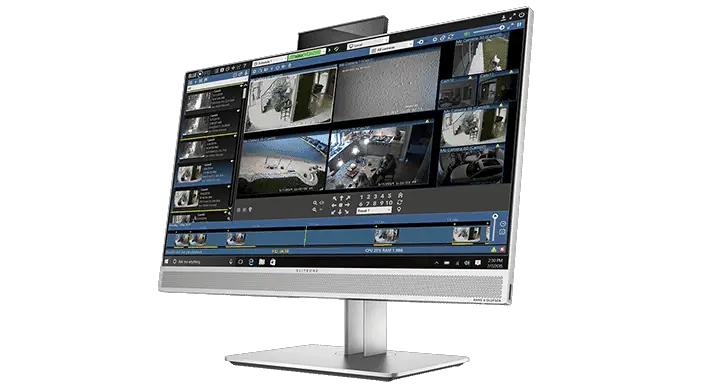
Source: Blue Iris Website
Just to make things clear, I'm NOT promoting the software neither making any money talking about it. There's no sponsorship involved in this article.
As a professional CCTV engineer with more than 15 years working in the industry, I'm just impressed with this software and I want to write a review about it just because I can help you to understand what you are about to buy.
In my opinion, there are good and bad things about the Blue Iris software, but at the end of the day, I think this is a good solution for homes and small businesses.
What is Blue Iris Software?
Blue Iris a video recording and monitoring software which is affordable and easy to setup. It has some professional features and it's compatible with most of the home security cameras available in the market.
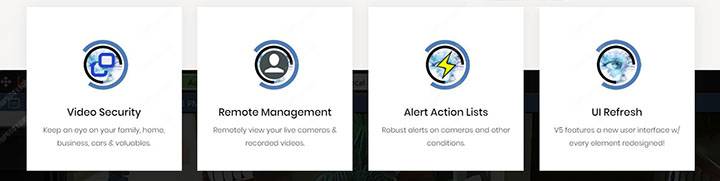
Source: Blue Iris Website
In the Blue Iris manual, you can find a statement about Blue Iris as a "DIY home video-security solution". So, their words... not mine!
How much does Blue Iris cost?
For $34.95 you can buy the LE version which allows you to use only one camera or if you need more than that, for $69.95 you can have the Full Version for up to 64 cameras and extra features. The license is for a single PC.
As you can see, it's a very affordable solution that doesn't break your bank, right?
So, let's dive in into more details since this is a complete Blue Iris review.
What the Blue Iris Software is NOT
Make sure you understand the Blue Iris is not a software for high-end surveillance projects that requires extremely reliable and robust solutions.
This software can't be compared to professionals ones that cost hundreds or even thousands of dollars and are used for monitoring stadiums, airports, public streets, and important buildings. This is NOT the type of application Blue Iris is used for.
I know you have some common sense to understand that a piece of software that costs less than $100 was not designed to protect the most important building and properties around the world, right? FBI, CIA, Airports, Hospitals, etc use other professional (and expensive solutions) such as Milestone, ISS, Genetec, OnSSI, etc.
So, you can't compare any of the software I mentioned before to Blue Iris since they are on a very different level and are not for home application.
Blue Iris pros and cons
I know you don't have time to waist, right? So let's jump in the Blue Iris software pros and cons so you can have an overall idea if you like it or not...
Pros
Cons
OK, now that you know something about the software, let's start talking about the details so you can decide if Blue Iris is the right solution for you.
Software features
OK, now that you know something about the software, let's start talking about the details so you can decide if Blue Iris is the right solution for you.
Interface
Just load the software and you can see all the cameras and information on the screen. The Blue Iris Interface is pretty simple and intuitive.

(Click to enlarge
You can arrange the titles with the cameras in different ways to have all your cameras displayed in a single scream and create new layouts to accommodate the cameras according to your preference.
The date and time are displayed on every camera to make easier to visualize when things happen and to search for recorded video based on a calendar.
Events can be detected and displayed live on the screen so you can keep on eye on what matters since movements indicate activity in front of your cameras.
Remote management
The new version allows you to manage different Blue Iris installation from a single computer. It's not necessary to use alternative solutions such as remote desktop connection which makes setup and monitoring much easier.
Smooth video recording
The software can record videos from the IP cameras with different types of configuration since it's possible to choose the video streaming to work with.
If your IP camera is capable to work with 30 FPS (Frames Per Second), Blue Iris will be able to record the video with such a rate, which makes the playback smooth.
Continuous and event-based video recording
Blue iris allows you to record videos continuously (records all the time), or based on events such as motion or audio detection, which means you can save storage in the hard drive since the video is recorded only when there's some movement in front of the cameras. This is also very useful for video recorded searching.

The following triggers can start an event-based video recording:
Motion Detection
Most IP cameras can detect motion and trigger an event that is sent to the software t